Scrum Workshop
Jason Holt · Professional Scrum Master
March 18–19, 2026
Day 1 — Learn by Building
| Time | Block | What We’re Doing |
|---|---|---|
| 8:00 – 9:00 | Arrive & Setup | Travel to conference center, room setup, coffee |
| 9:00 – 9:45 | Kickoff | Welcome, introductions, Working Agreements, “Great Team” exercise |
| 9:45 – 10:30 | Fundamentals | Scrum, Agile Manifesto, Complexity, Empiricism |
| 10:30 – 10:45 | Break | |
| 10:45 – 11:15 | Framework | Value, Products, Accountabilities, Events, Artifacts |
| 11:15 – 12:00 | Lego Pre-game | Setting the stage, forming teams, vision pitch, sprint rules |
| 12:00 – 12:45 | Lunch | |
| 12:45 – 1:25 | Product Discovery | Who are our users? What do they need? What do we build? |
| 1:25 – 2:25 | Sprints 1 & 2 | Plan → Build → Review → Retro (30 min each) |
| 2:25 – 2:40 | Break | |
| 2:40 – 3:10 | Sprint 3 | Plan → Build → Review → Retro |
| 3:10 – 3:30 | Debrief & Values | Observe, Learn, Connect + Scrum Values |
| 3:30 – 4:00 | Closing | Terminology, Feedback Wall, preview Day 2 |
Outcomes
Big Idea: Put together the bare minimum to get started with Scrum.
This workshop is modeled on the Applying Professional Scrum course from Scrum.org and the Lego4Scrum simulation by Alexey Krivitsky.
Day 1 — Learn by Building
- Understand why Scrum works for complex problems
- Know the framework: accountabilities, events, artifacts
- Experience three full Sprints
- Connect Scrum values to your experience
Day 2 — Build “The Artwod Way”
- Apply planning and estimation to real work
- Create a Scrum presentation for Artwod (3 Sprints)
- Leave ready to build your backlog and plan Sprint 1
Let’s Meet
Go around the room. Share: your name, your role, and one creative project you’re proud of — from Artwod or your own practice.
How Do We Want to Work Together?
What ground rules do we want for these two days?
Call them out — I’ll write them on the whiteboard.
Characteristics of a Great Team
Think of an AMAZING team you were on — a collaborative art project, a product team, a band, a theater production — any group.
What made it great? Write one characteristic per sticky note.
Time: 5 minutes
Then we’ll cluster themes together.
The Agile Manifesto
“We are uncovering better ways of developing products by doing it and helping others do it. Through this work we have come to value:”
Individuals & Interactions
over Processes & Tools
Working Product*
over Comprehensive Documentation
Customer Collaboration
over Contract Negotiation
Responding to Change
over Following a Plan
While there is value in the items below, we value the items above more.
*The Manifesto says “Working Software” — we read “software” as “product” for our context.
Agile is a statement of values.
How do you practice them?
Fundamentals of Scrum
“Agile is a statement of values. Scrum is a way to put these values into focus, clarity, and practice.”
— Jeff Sutherland
What Is a Scrum?
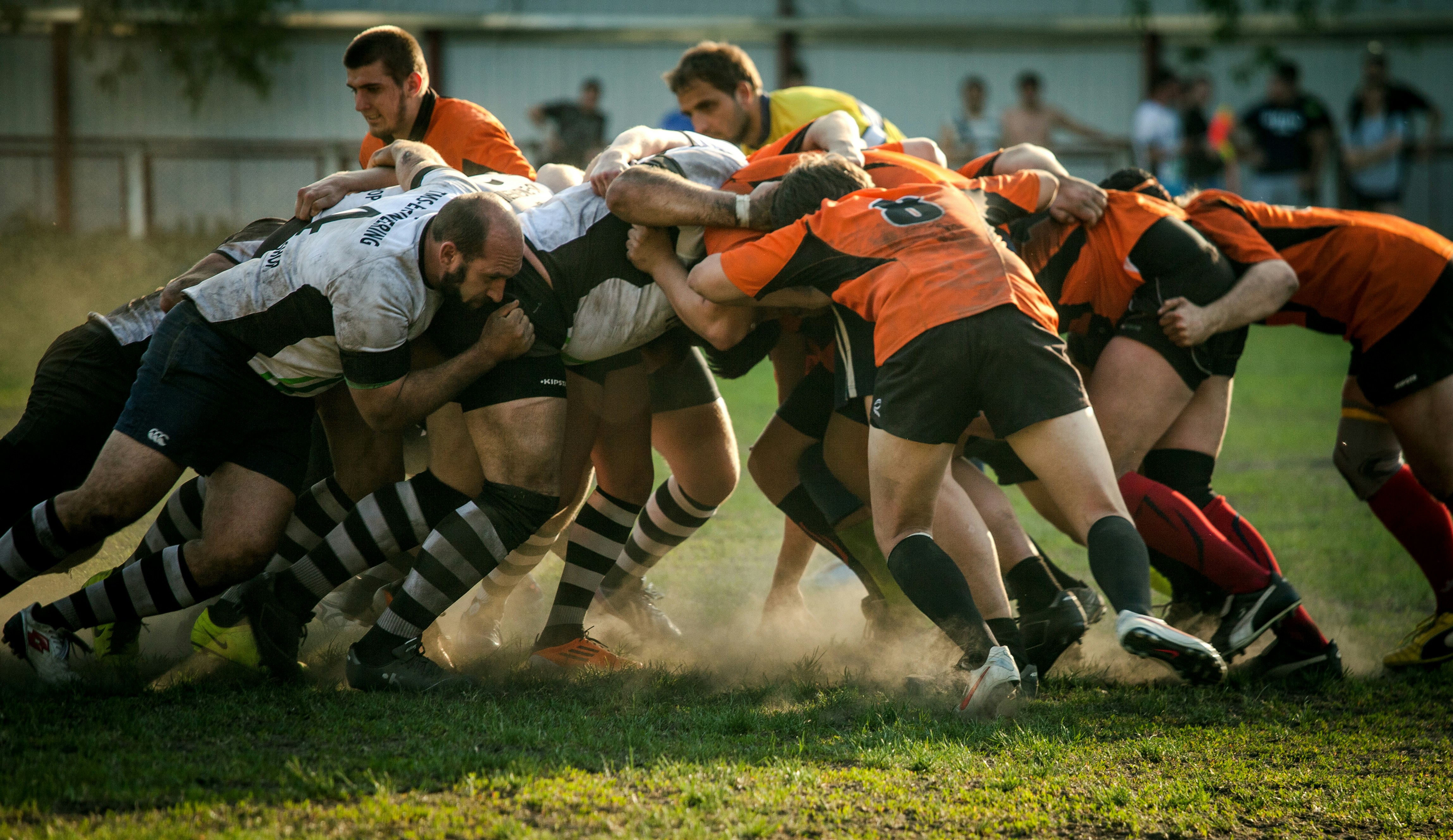
“The ‘rugby approach’ — where a team tries to go the distance as a unit, passing the ball back and forth — may better serve today’s competitive requirements.”
— Takeuchi & Nonaka, Harvard Business Review (1986)
What Is Scrum?
“Scrum is a lightweight framework that helps people, teams and organizations generate value through adaptive solutions for complex problems.”
— The Scrum Guide (2020)
- Lightweight: Few rules, easy to understand — hard to master
- Framework, not a process: Provides structure; your team fills in the practices
- Built for complex problems: Where requirements emerge and change — you adapt as you learn
The Complexity of Product Development
Stacey, 1996
Simple
Everything is known — follow the recipe
Complicated
More is known than unknown — call the experts
Complex
More is unknown than known — experiment & adapt
Chaotic
Very little is known — act first, make sense later
The Cynefin Framework
The Three Pillars of Empiricism
The Scrum Framework
Accountabilities, Events, and Artifacts
Scrum helps teams generate value through adaptive solutions for complex problems.
But how do we deliver that value?
Value through Products
“A product is a vehicle to deliver value. It has a clear boundary, known stakeholders, well-defined users or customers. A product could be a service, a physical product, or something more abstract.”
— The Scrum Guide (2020)
Scrum is domain agnostic — it works wherever complex problems need adaptive solutions.
Fighter jet development
Connected farm equipment
Travel guide publishing
Hand sanitizer rapid delivery
Home renovation in 6 weeks
“Saving the world one Sprint at a time”
How does Scrum use products to deliver value?
3
Accountabilities
5
Events
3
Artifacts
Fitting the Pieces Together
One Scrum Team · Three accountabilities · Five events · Three artifacts
Product Owner
Accountability 1 of 3
Maximizes the value of the product
- Developing and communicating the Product Goal
- Creating and clearly ordering the Product Backlog
- Ensuring the Product Backlog is transparent, visible, and understood
- Representing stakeholder needs
Developers
Accountability 2 of 3
Turn Product Backlog items into a usable Increment
- Creating the Sprint Backlog (a plan for the Sprint)
- Instilling quality by adhering to the Definition of Done
- Adapting their plan each day toward the Sprint Goal
- Holding each other accountable as professionals
Scrum Master
Accountability 3 of 3
Accountable for establishing Scrum as defined in the Scrum Guide
- Coaching the team in self-management and cross-functionality
- Helping focus on creating high-value Increments that meet the Definition of Done
- Causing the removal of impediments
- Ensuring events happen and are positive, productive, and timeboxed
Match the Accountability
Drag each scenario to the accountability responsible.
Product Owner
Developers
Scrum Master
The Sprint
Event 1 of 5
A fixed-length container (1 month or less) for all other events
- No changes that endanger the Sprint Goal
- Quality does not decrease
- The Product Backlog is refined as needed
- Scope may be clarified and renegotiated with the PO
Sprint Events
Events 2–5 happen inside the Sprint
Event 2 of 5
Sprint Planning
Why is this Sprint valuable? (Sprint Goal)
What can be Done this Sprint?
How will the chosen work get done?
Event 3 of 5
Daily Scrum
Developers plan the next 24 hours of work toward the Sprint Goal. Not a status meeting — a planning event.
Event 4 of 5
Sprint Review
Inspect the product. What was built? What changed? Adapt the Product Backlog based on feedback.
Event 5 of 5
Sprint Retrospective
Inspect the process. How did we work? What will we improve? Plan changes for the next Sprint.
Artifacts & Commitments
Product Backlog
Commitment: Product Goal
An ordered list of everything needed to improve the product
Sprint Backlog
Commitment: Sprint Goal
The Sprint Goal + selected Product Backlog items + plan for delivering them
Increment
Commitment: Definition of Done
A concrete stepping stone toward the Product Goal
Definition of Done
“A formal description of the state of the Increment when it meets the quality measures required for the product.”
— Scrum Guide (2020)
Why it matters
- Creates transparency — everyone knows what “Done” means
- Ensures quality and consistency across Increments
- If multiple teams work on one product, they must share a Definition of Done
Lego Sprint Simulation
From idea to product in three Sprints.
Why Lego?
“In theory there is no difference between a theory and a practice, but in practice there is.”
- You’re about to experience everything we just discussed
- A Product Owner will pitch a vision
- You’ll form teams, create a backlog, estimate, and plan
- Then build a real product in three Sprints
Form Your Teams
Self-organize into two teams.
Each team: select someone to be your Scrum Master for the simulation.
Remember: the Scrum Master coaches the team and removes impediments. They don’t manage or assign work.
The Product Vision
I (Jason) am your Product Owner. You are the Developers.
I have a vision for an amazing city. Let me tell you about it…
A good vision has:
- A compelling purpose — WHY does this city exist?
- Users — WHO will live, visit, and work here?
- Needs — WHAT do those users need?
Who Are Our Users?
Who will live in, visit, and work in this city?
Identify 2–3 types of users. Write each on a large sticky note on the left side of the wall.
What Do They Need?
For each user type: what do they need? Imagine a day in their life in this city.
Write one need per sticky note. Place in the center of the wall, next to the user it belongs to.
What Do We Build?
Now turn those needs into things we can build. What buildings, spaces, and infrastructure address these needs?
Write one item per sticky note on the right side of the wall. These are your Product Backlog items.
Estimate & Prioritize
1. Estimate
As a group, sort backlog items by size: XS, S, M, L, XL
Silent sorting — move items without talking. 2–3 minutes.
2. Prioritize
PO arranges items by business value — what should we build first?
Teams can suggest, but the PO decides the order.
Sprint Rules
Hands off when time is up! The timebox is sacred.
Sprint 1
Plan → Build → Review → Retro
Sprint Planning
- What is your Sprint Goal? Why is this Sprint valuable?
- Pull items from the Product Backlog into your team’s Sprint Backlog
- Coordinate with the other team — you’re building one city
- Confidence vote (fist of five)
Build!
Hands off when time is up!
Sprint Review
“Where is my city?!”
- Assemble your work into one integrated city
- PO and all teams inspect together
- What’s done? What’s missing? What needs to change?
Sprint Retrospective
Team Retro (5 min)
- What worked well?
- What needs to change so more items get to “done”?
- What will we do differently?
Overall Retro (5 min)
- Each team: share one key learning
- How can we improve coordination?
- What do you want the PO to start, stop, or keep doing?
Sprint 2
Plan → Build → Review → Retro
Sprint Planning
- What feedback did the PO give you?
- What will you do differently this Sprint?
- Coordinate with the other team
- Confidence vote
Build!
Hands off when time is up!
Sprint Review
“Where is my city?!”
- Show the PO what you’ve built
- What improved since Sprint 1?
- What still doesn’t meet the vision?
Sprint Retrospective
Team Retro (5 min)
- What worked well?
- What needs to change so more items get to “done”?
- What will we do differently?
Overall Retro (5 min)
- Each team: share one key learning
- How can we improve coordination?
- What do you want the PO to start, stop, or keep doing?
One sprint left — make it count!
Sprint 3
Plan → Build → Review → Retro
Sprint Planning
- Final sprint — what will make this city complete?
- What is highest priority in the backlog?
- Coordinate and confidence vote
Build!
Hands off when time is up!
Sprint Review
“Where is my city?!”
- Final city review
- How does this compare to Sprint 1?
- Celebrate what your teams accomplished!
Sprint Retrospective
Team Retro (5 min)
- What worked well?
- What needs to change so more items get to “done”?
- What will we do differently?
Overall Retro (5 min)
- Each team: share one key learning
- How can we improve coordination?
- What do you want the PO to start, stop, or keep doing?
Reflect on your full journey — Sprint 1 to Sprint 3.
Lego Debrief
Grab sticky notes. We’ll go in three rounds.
Observe
Write one thing you noticed change from Sprint 1 to Sprint 3.
Learn
Write the biggest lesson from the simulation.
Connect
Write one way this connects to your real work.
Post your notes together. Then we’ll discuss as a group.
The Scrum Values
“Respect, honesty, discipline, thought, introspection is required to do this.”
— Jeff Sutherland
The Five Scrum Values
Commitment
Commit to achieving the team’s goals and to supporting each other
Focus
Focus on the work of the Sprint to make the best progress toward the goal
Openness
Be open about the work and the challenges
Respect
Respect each other as capable, independent people
Courage
Do the right thing and work on tough problems
A Note on Terminology
Today we used a lot of Scrum terminology — Sprint Planning, Product Backlog, Definition of Done, Scrum Master…
The practices matter more than the labels.
We use the terminology to make the steps clear. But if the terminology ever gets in the way of actually being agile — drop it. Focus on why you’re doing something, not what it’s called.
Feedback Wall
What surprised me today?
What do I want to learn more about?
How does this connect to our work?
Write each answer on a separate sticky note. Post on the wall.
See You Tomorrow!
Tomorrow
Apply Scrum to your product — and leave with everything you need to run your first Sprint
Optional
Read the Scrum Guide at scrumguides.org — a quick, focused read
Bring
Questions from today — we’ll start with them
Tomorrow you’ll apply everything you learned to your actual work — the thing you came here to figure out.
Day 2: Build “The Artwod Way”
Welcome Back!
Quick Recap: What stuck with you from yesterday?
Turn to your neighbor and discuss: What stuck with you from yesterday?
Then we’ll hear from everyone.
Inspect & Adapt
Based on what I observed yesterday, I made changes to today’s plan. That’s not a failure — that’s the process working.
Day 2 — Build “The Artwod Way”
| Time | Block | What We’re Doing |
|---|---|---|
| 9:00 – 9:15 | Opening | Recap, pair discussion |
| 9:15 – 10:00 | Deeper Dive | Empiricism in Practice, Self-Management, Estimation, Refinement, Ready |
| 10:00 – 10:30 | The Challenge | Vision pitch, Product Discovery, sprint rules |
| 10:30 – 10:45 | Break | |
| 10:45 – 11:55 | Sprint 1 | Plan → Create → Review → Retro |
| 11:55 – 12:25 | Lunch | |
| 12:25 – 1:35 | Sprint 2 | Plan → Create → Review → Retro |
| 1:35 – 2:45 | Sprint 3 | Plan → Create → Review → Retro |
| 2:45 – 3:15 | Closing | Anti-patterns, Appreciation Wall, suggested reading |
The Sprint as a Learning Loop
Each event is an opportunity to inspect and adapt — the inspect-and-adapt loop in action.
Self-Managing Teams
The team decides WHO does WHAT and HOW
- No one tells the team how to turn backlog items into Increments
- The team collectively owns the Sprint Backlog
- Decisions are made by those closest to the work
- Cross-functional: The team has all skills needed — or learns them. Think “T-shaped”: deep in one area, broad enough to help across others.
“Scrum Teams are cross-functional, meaning the members have all the skills necessary to create value each Sprint.”
— Scrum Guide (2020)
How Scrum Events Use Empiricism
Every Scrum event is an opportunity to inspect and adapt.
| Event | Transparency | Inspection | Adaptation |
|---|---|---|---|
| Sprint Planning | Backlog is visible | Examine what can be done | Create the Sprint plan |
| Daily Scrum | Progress is shared | Check progress toward goal | Adjust the day’s plan |
| Sprint Review | Increment is shown | Evaluate what was built | Update the Backlog |
| Retrospective | Process is discussed | Examine how the team worked | Commit to improvements |
Planning with Scrum
“Plans are worthless, but planning is everything.”
— Dwight D. Eisenhower
Estimation
Estimation is a team activity, not a management tool.
Relative Sizing
Compare items to each other, not to hours.
XS S M L XL
Product Backlog Refinement
- An ongoing activity, NOT a formal Scrum event
- Adding detail, estimates, and order to items
- The Scrum Team decides how and when refinement is done
- Makes future Sprint Planning smoother
Think of it as “grooming the queue” — keeping the backlog ready for the next Sprint.
When Is a Backlog Item “Ready”?
Clear
The team understands what is being asked
Sized
The team has estimated the relative effort
Testable
You can describe what ‘finished’ looks like — like acceptance criteria for a platform feature
Ready ≠ fully specified. Just enough to start.
Linear
Project management for product teams — built by Karri Saarinen
$100M
annual revenue (2025)
~200
employees
$1.25B
valuation (Series C, 2025)
15,000+
customers incl. OpenAI, Perplexity
They don’t call it Scrum. But look at how they work…
How Linear Works
Find a cadence and routine. Maintain healthy momentum, don’t rush.
2-week cycles. Short enough to stay focused, long enough to build.
Important items resurface. Low priority ones never get done. Focus.
Designers and engineers together. Natural push and pull.
Small tasks, visible progress, easier to review.
There isn’t always a best answer. Make a decision. Adapt later.
The Artwod Way
One product. Two teams. Build it with Scrum.
Your Role
You’ve been hired by Artwod to design and build something for the company. You are the Developers.
Product Owner
Axel — owns the vision and the backlog
Developers
You — self-organize into two teams, select your Scrum Masters
Build for users first.
Then satisfy stakeholder needs.
Users
People who directly interact with the product. Build for them first.
Stakeholders
People with an interest in the product’s success. Their needs shape priorities.
Who Is This For?
Who will read “The Artwod Way”?
Identify 2–3 users & stakeholders. Write each on a large sticky note on the left side of the wall.
What Do They Need?
For each user: what do they need?
Write one need per sticky note. Place in the center of the wall, next to the reader it belongs to.
What Do We Create?
Turn those needs into sections of the presentation. What goes in “The Artwod Way”?
Write one section per sticky note on the right side of the wall. These are your Product Backlog items.
Estimate & Prioritize
You know the drill. Silent sort by T-shirt size, then PO prioritizes.
What should we tackle first to have something showable after Sprint 1?
Sprint Rules
Two teams. One product. One shared vision.
Sprint 1
Plan → Create → Review → Retro
Sprint Planning
- Everyone to the board — pull sections from the Product Backlog
- Coordinate with the other team — you’re building one presentation
- Agree on your Definition of Done
- What is your Sprint Goal? Why is this Sprint valuable?
- Confidence vote (fist of five)
Create!
Create! Make something a new hire could use.
Sprint Review
“Where’s my presentation?”
- What did you build?
- What’s done? What needs more work?
- What feedback does the PO have?
Sprint Retrospective
Team Retro (5 min)
- What worked well?
- What needs to change so more items get to “done”?
- What will we do differently?
Overall Retro (5 min)
- Each team: share one key learning
- How can we improve coordination?
- What do you want the PO to start, stop, or keep doing?
Sprint 2
Plan → Create → Review → Retro
Sprint Planning
- What feedback did the PO give you?
- How will you integrate the two halves?
- What will you improve?
- What is your Sprint Goal? Why is this Sprint valuable?
- Confidence vote
Create!
Refine and complete. Make it feel like Artwod.
Sprint Review
“Where’s my presentation?”
- What did you build?
- What improved since Sprint 1?
- What feedback does the PO have?
Sprint Retrospective
Team Retro (5 min)
- What worked well?
- What needs to change so more items get to “done”?
- What will we do differently?
Overall Retro (5 min)
- Each team: share one key learning
- How can we improve coordination?
- What do you want the PO to start, stop, or keep doing?
Sprint 3
Plan → Create → Review → Retro
Sprint Planning
- Final sprint — what will make this presentation complete?
- What is highest priority in the backlog?
- How will you integrate into one unified product?
- What is your Sprint Goal? Why is this Sprint valuable?
- Confidence vote
Create!
Final sprint. Make it something you’re proud of.
The Artwod Way — Sprint Review
“Where’s my presentation?”
- What did you build?
- Sprint 1 vs Sprint 3 — what changed?
- What feedback does the PO have?
Final Retrospective
The Process
- What worked about how we worked?
- What would we change for a real Sprint?
Taking It Forward
- What did this workshop teach you about your team?
- What’s the first thing you’ll do differently on Monday?
Your Scrum Startup Kit
Everything you need to run your first Sprint at Artwod
“End goal: teams improve their productivity and get what they want.”
— Jeff Sutherland
The Bare Minimum to Start
You don’t need to be perfect. You need these seven things.
Product Owner — who decides what to build next?
Scrum Master — who helps the team improve?
Developers — who does the work?
Product Backlog — what are the first 5 items?
Definition of Done — when is work “done” for real?
Sprint Length — 1–4 weeks
First Sprint Starts — pick a date.
About the Scrum Master
The Scrum Guide defines the Scrum Master as an accountability on the Scrum Team — someone who serves the team by coaching Scrum, removing impediments, and helping the team improve.
Share Back
Walk us through what you built:
- Who fills each role?
- What are your first backlog items?
- What’s your Definition of Done?
- When does Sprint 1 start?
This is your commitment to each other.
Watch Out For
Common patterns that undermine Scrum.
Scrum-But
“We do Scrum, but we skip retros” / “…but the PO writes the tasks” / “…but we don’t have a Definition of Done.”
SM as Project Manager
The Scrum Master serves the team — they don’t assign work, track status, or report up.
No Real Increment
If nothing is “Done” at Sprint’s end, there’s nothing to inspect. The feedback loop breaks.
Impediments Stay
If blockers are raised but never removed, trust erodes. Someone must own clearing the path.
Appreciation Wall
Write a statement of appreciation about someone in this workshop or about the experience itself. Post it on the wall.
Continue Learning
The Scrum Guide
scrumguides.org — The definitive 13-page source. Free.
Scrum: A Pocket Guide
Gunther Verheyen — Clear, practical companion to the Scrum Guide
Scrum: The Art of Doing Twice the Work in Half the Time
Jeff Sutherland — The story behind Scrum, and why it works
User Story Mapping
Jeff Patton — Discover the whole story, build the right product
Thank You!
Every great work of art is an iteration. Keep inspecting and adapting.
Based on the Scrum Guide (2020) by Ken Schwaber & Jeff Sutherland — CC BY-SA 4.0
Lego exercise inspired by Lego4Scrum by Alexey Krivitsky — CC BY 3.0
Jason Holt · Professional Scrum Master